0
Shopping Cart
Home
Announcements
Network Status
More
Account
Login
Forgot Password?
Portal Home
Knowledgebase
Chat Knowledgebase
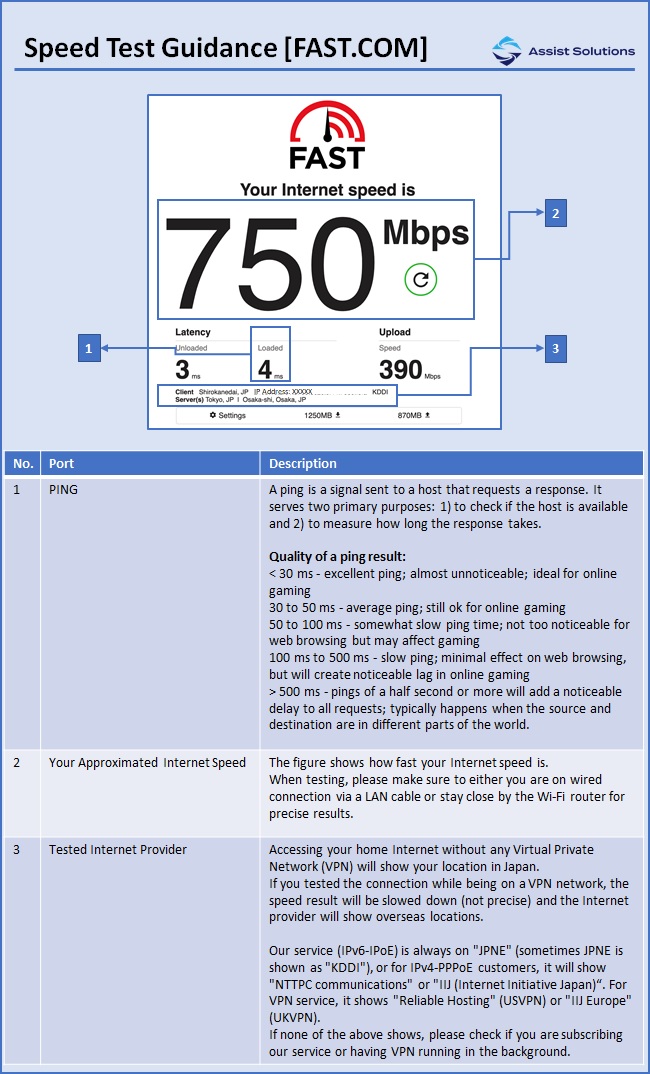
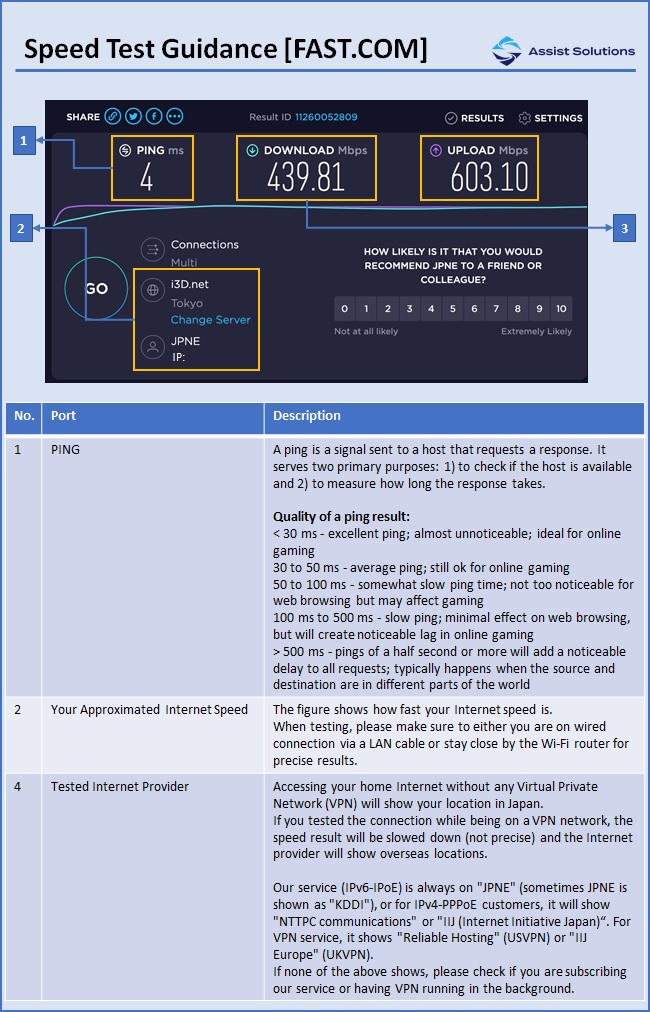
How to understand the speed test results?
Categories
Chat Knowledgebase
6
Categories
Chat Knowledgebase
(6)
Tag Cloud
LED
netgear
r7000
Support
My Support Tickets
Announcements
Downloads
Network Status
Dev License:
This installation of WHMCS is running under a Development License and is not authorized to be used for production use. Please report any cases of abuse to abuse@whmcs.com
How to understand the speed test results?
Print
1
Was this answer helpful?
Yes
No
Related Articles
How to restart / make sure the cables are connected correctly for modem/router?
How to identify what the LEDs mean for NTT modem/router?
How to find your modem/router model #?
How to find your VPN router?
How to restart / make sure the cables are connected correctly for VPN router?
« Back
Powered by
WHMCompleteSolution
Tag Cloud
LED
netgear
r7000
Support
My Support Tickets
Announcements
Downloads
Network Status
×
Close
Loading...
×
Choose language
العربية
Azerbaijani
Català
中文
Hrvatski
Čeština
Dansk
Nederlands
English
English
Estonian
Persian
Français
Deutsch
עברית
Magyar
Italiano
日本語
Macedonian
Norwegian
Português
Português
Română
Русский
Español
Svenska
Türkçe
Українська
Generate Password
×
Please enter a number between 8 and 64 for the password length
Password Length
Generated Password
Generate new password
Copy